


How to Protect Your Home Network from Cyber Threats (And Why UniFi Can Make a Big Difference)


In today’s connected world, your home network is no longer just for browsing the internet. It powers everything, from laptops and smartphones to smart TVs, doorbells, cameras, and even appliances like refrigerators.
While having a smart fridge or connected home devices can be exciting and convenient, it can also introduce serious security risks. Many of these devices are not built with strong security in mind, making them potential entry points for hackers.
The good news? With the right setup and a few smart decisions, you can significantly reduce your risk and platforms like Ubiquiti UniFi can take your home network security to the next level.
Why Home Networks Are a Target
Cybercriminals don’t just go after big companies anymore. Home networks are attractive because:
Many people use default passwords
Devices are rarely updated
Smart devices often lack strong security
Networks are typically flat (everything connected together)
Once a hacker gains access to one device, they can potentially move across your entire network.
The Hidden Risk of Smart Devices (Like Smart Fridges)
Let’s take a real-world example:
A smart fridge might connect to your Wi-Fi to show recipes, manage groceries, or stream music. While this sounds great, these devices often:
Don’t receive regular security updates
Use weak or outdated software
Have limited built-in protection
👉 This means that if a smart fridge (or any IoT device) gets compromised, it could become a gateway into your home network.
One of the Best Defences: Network Segmentation
One of the most effective ways to protect your home is to separate your devices into different networks.
What is Network Segmentation?
Instead of having everything on one Wi-Fi network, you create multiple networks, such as:
Main Network – for computers, phones, work devices
IoT Network – for smart devices (fridge, cameras, thermostats)
Guest Network – for visitors
👉 This way, if a smart device is compromised, it cannot access your main devices or sensitive data.
How UniFi Helps Secure Your Home Network
This is where Ubiquiti UniFi really shines.
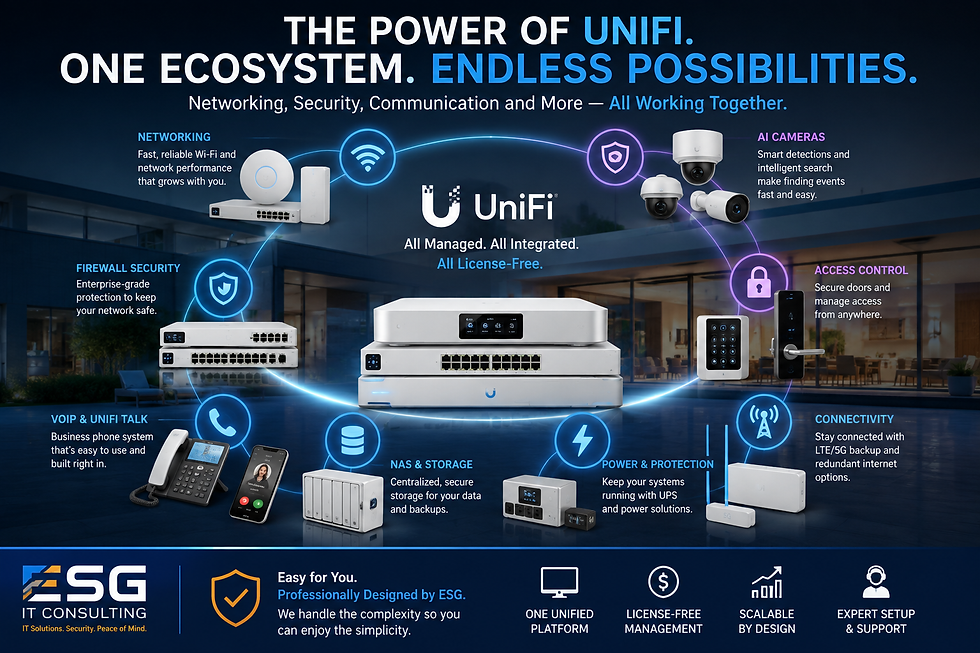
UniFi is not just a Wi-Fi system; it’s a complete network management and security platform that gives you enterprise-level features at home.
1. Easy Network Segmentation (VLANs)
With UniFi, you can easily:
Create a dedicated IoT network
Isolate devices from each other
Control what each network can access
👉 Example: Your smart fridge can access the internet, but not your laptop or NAS.
2. Built-In Firewall & Traffic Rules
UniFi allows you to:
Block suspicious traffic
Restrict communication between networks
Control what devices can and cannot access
👉 You can literally say: “IoT devices cannot talk to my main network.”
3. Threat Management & Intrusion Detection
With UniFi’s IDS/IPS (Intrusion Detection & Prevention System):
Suspicious activity is detected in real-time
Known threats can be blocked automatically
You gain visibility into what’s happening on your network
4. Guest Network Isolation
When guests connect to your Wi-Fi:
They are fully isolated from your devices
No access to your personal data
5. Centralized Control & Visibility
UniFi gives you a single dashboard to:
See all connected devices
Monitor traffic
Identify unusual behavior
👉 This level of visibility is something most home routers simply don’t offer.
Other Ways to Protect Your Home Network (Even Without UniFi)
While UniFi is a powerful solution, there are still many steps you can take regardless of your setup:
🔐 1. Change Default Passwords
Always change:
Router admin password
Wi-Fi password
Device login credentials
🔄 2. Keep Everything Updated
Update your router firmware
Update smart devices regularly
Enable automatic updates when possible
📶 3. Use Strong Wi-Fi Encryption
Use WPA3 (or WPA2 at minimum)
Avoid outdated standards like WEP
📵 4. Disable Features You Don’t Use
Turn off UPnP if not needed
Disable remote access features
📡 5. Set Up a Guest Network
Never give visitors access to your main network.
🧠 6. Be Careful with What You Connect
Not all smart devices are created equal.
👉 Ask yourself: Does this device really need internet access?
🔍 7. Monitor Your Network
Regularly check:
Unknown devices
Unusual traffic
Final Thoughts: Smart Homes Need Smart Security
As homes become smarter, they also become more vulnerable. Devices like smart fridges, cameras, and doorbells add convenience but also increase your attack surface.
The key is not to avoid technology but to use it wisely and securely.
A properly designed network, especially one built on platforms like UniFi can:
Protect your personal data
Isolate risky devices
Give you full visibility and control
How ESG IT Consulting Can Help
At ESG IT Consulting, we specialize in designing and securing home and business networks using solutions like Ubiquiti UniFi.
We can help you:
✅ Design a secure home network architecture✅ Set up separate IoT, guest, and main networks✅ Configure firewalls, VLANs, and threat protection✅ Optimize your Wi-Fi for performance and security
Whether you’re building a new smart home or upgrading your existing setup, we ensure your network is not just fast but secure and future-ready. Check out our Wi-Fi 7 vs Wi-Fi 6 vs Wi-Fi 5 blog to learn more about the different types Wi-Fis
👉 Ready to secure your home network? Contact ESG IT Consulting today and take control of your digital home.


Comments